
Always Know What's Happening With Your Build
Your builder runs the whole job through Summit Hub, so you get a live, branded window into it. Photos and updates as they're posted, decisions made from your phone, the programme when your builder shares it, agreements signed online, and a clear chart of where the money stands.
Ask your builder if Summit Hub is running your project. The portal comes with every plan.
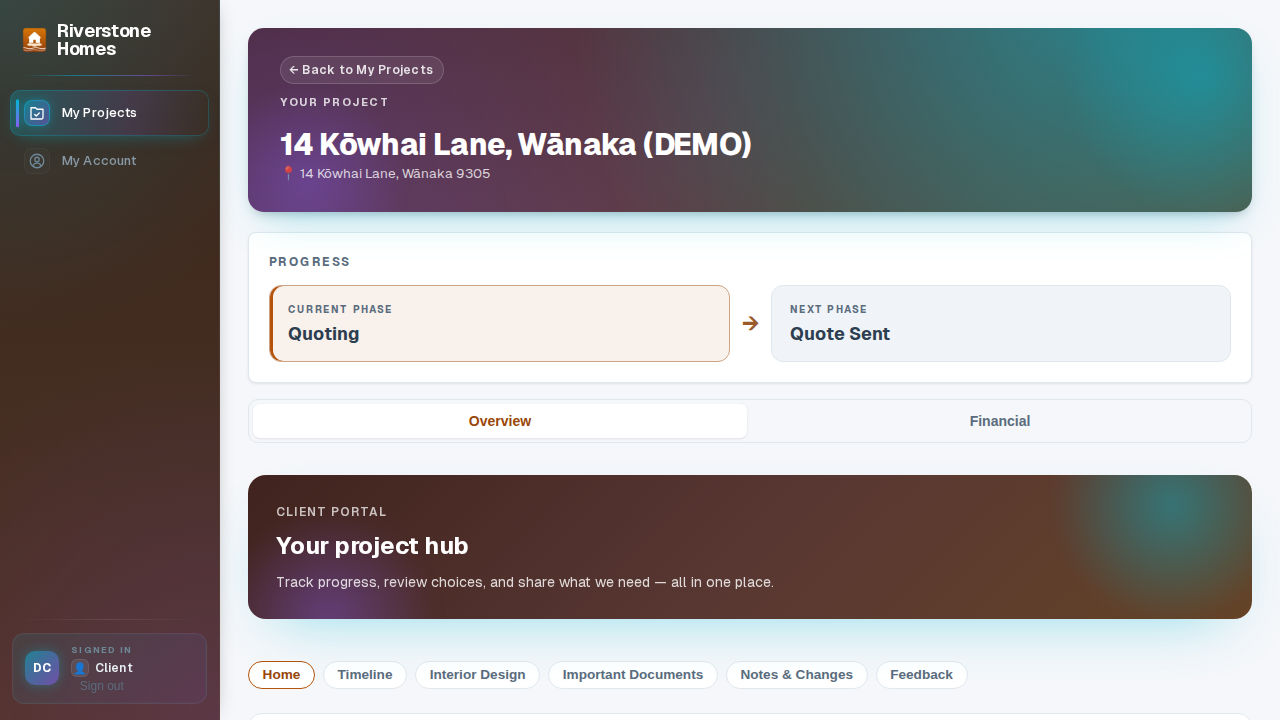
Your build, in view
Four moments every build has, and what your portal shows you at each one.
- 01Before the first nail
Read it, sign it, keep it
If your builder uses a pre-start agreement, it's waiting in your portal: read and signed online before things kick off, with your signed copy kept on file where you can always find it.
- 02While it's happening
Progress you can see from the couch
Photos, short videos and updates as the team posts them, and when your builder shares the programme, you can see what's planned for next week before the ute pulls up.
- 03When it's your call
Decisions without a site visit
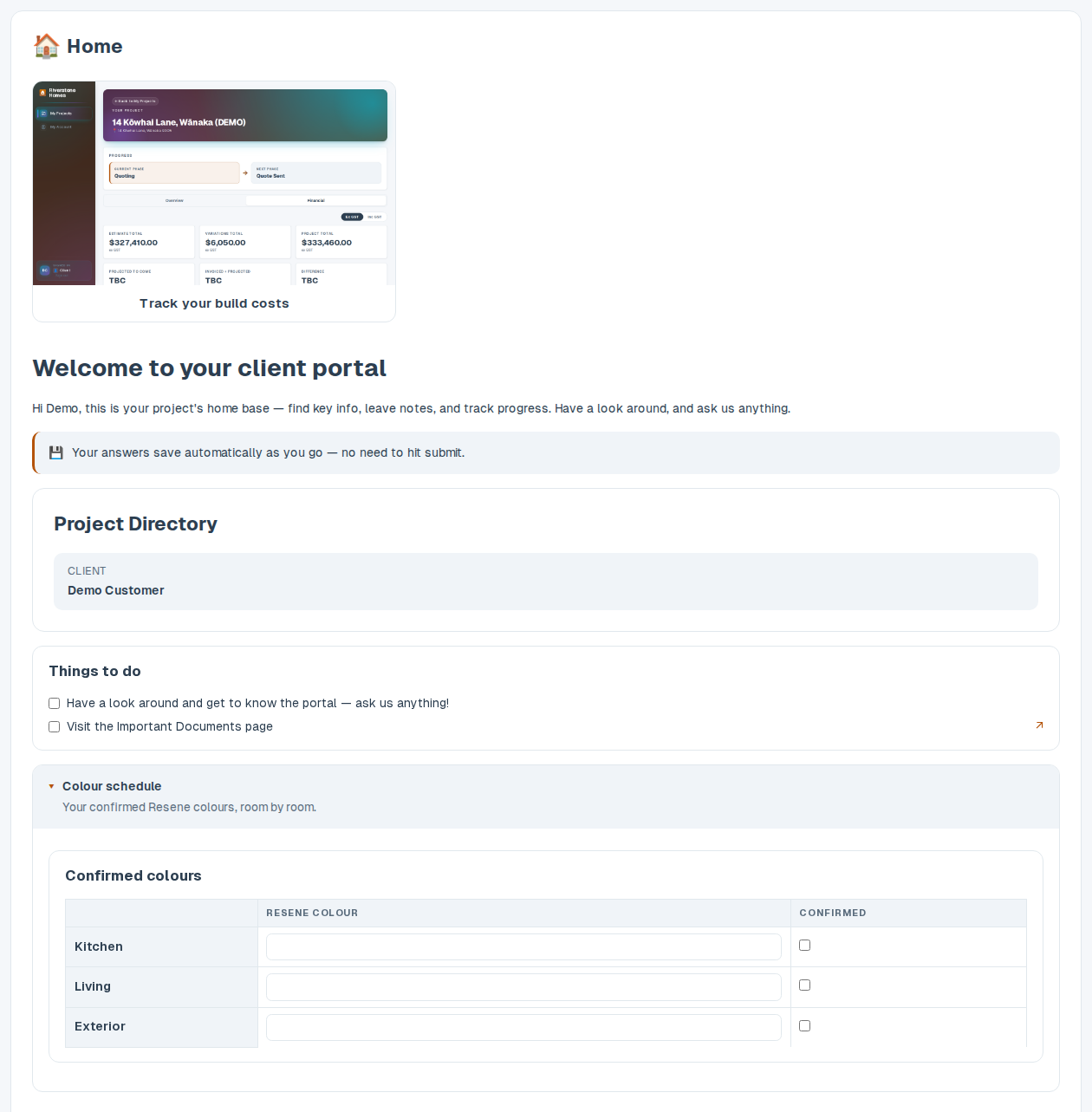
Choosing a finish, filling in the colour schedule, answering the questions your builder sends through: done in the portal from your phone, and recorded straight onto the job instead of scattered down an email chain.
- 04Where the money stands
The same chart your builder reads
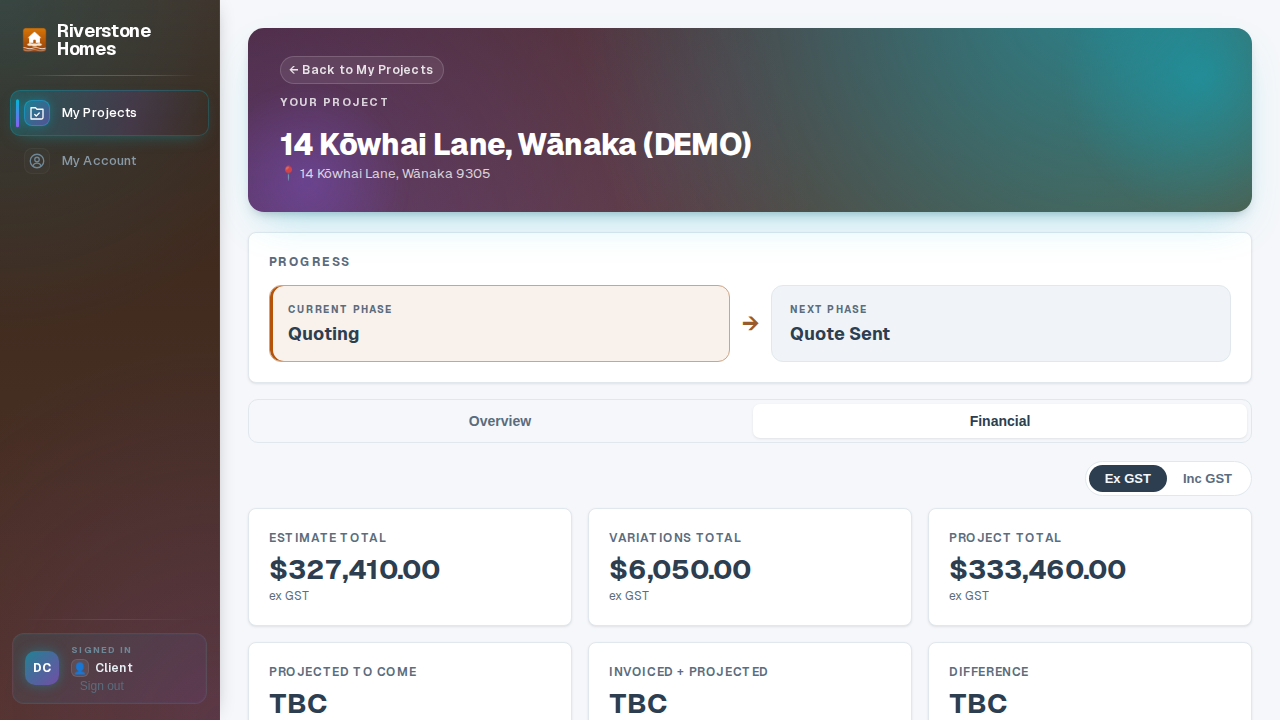
Invoiced against the agreed total, category by category, with overspend showing in red. You see it as the job runs, not as a surprise at handover.
A page that feels like your build, not a form
Your builder lays the portal out for your job: photo galleries you can tap through, short videos, drop-down sections for the details, tables for the colour schedule, and pages for each part of the work, all under their branding, all kept current as the job moves.
- Your photos, big and croppable. Site photos flow into galleries you can open full-screen.
- Answers that stick. Forms and tables you fill in go straight back to the builder's team, kept with the job.
- A button when you need them. Tap it and your builder's team knows to call you back, easier than finding the right number.
The pre-start agreement gets signed before the portal opens
Upload the agreement as a PDF: a pre-start agreement for one job, or your standard terms for every client. The next time your client opens their portal, they're asked to read and sign it before anything else. The moment they do, the signed copy is filed against the job.
- No chasing paperwork. Clients get an email when there's something to sign, and the portal waits until it's done. You never start a job on a handshake.
- On file and on the record. Typed-name signing, recognised under Part 4 of NZ's Contract and Commercial Law Act 2017. Summit Hub records the signer, the timestamp, their IP address and the exact document hash, kept with the signed PDF.
- New version, new signature. Replace the document and clients sign the fresh copy; every earlier signature stays on record against the version it signed.
A clear chart of where the money's going
When your team publishes the job's cost breakdown, customers see exactly where their budget stands: invoiced against the agreed total, category by category. Overspend shows in red before it becomes an argument. Trust, built in.
- Published from your numbers. Built from your cost tracking: estimates against invoiced-to-date, refreshed when your team publishes a new version.
- Category by category. Foundations to fit-out, every line is broken out clearly.
- No surprises. Variations and overspend surface early, in plain sight.
The portal comes with every builder's plan
Building for someone?
The other side of the portal: what your builder (or you, if you're the builder) runs it from.
Ask your builder about the portal.
If your builder runs on Summit Hub, your project's portal is already waiting for you.
See how builders use it