
The end of “what's happening with my job?”
Every customer gets a clean, branded portal showing exactly where their build is (stage, photos, decisions and money), updated whenever your team posts. You build; the portal does the phone calls.
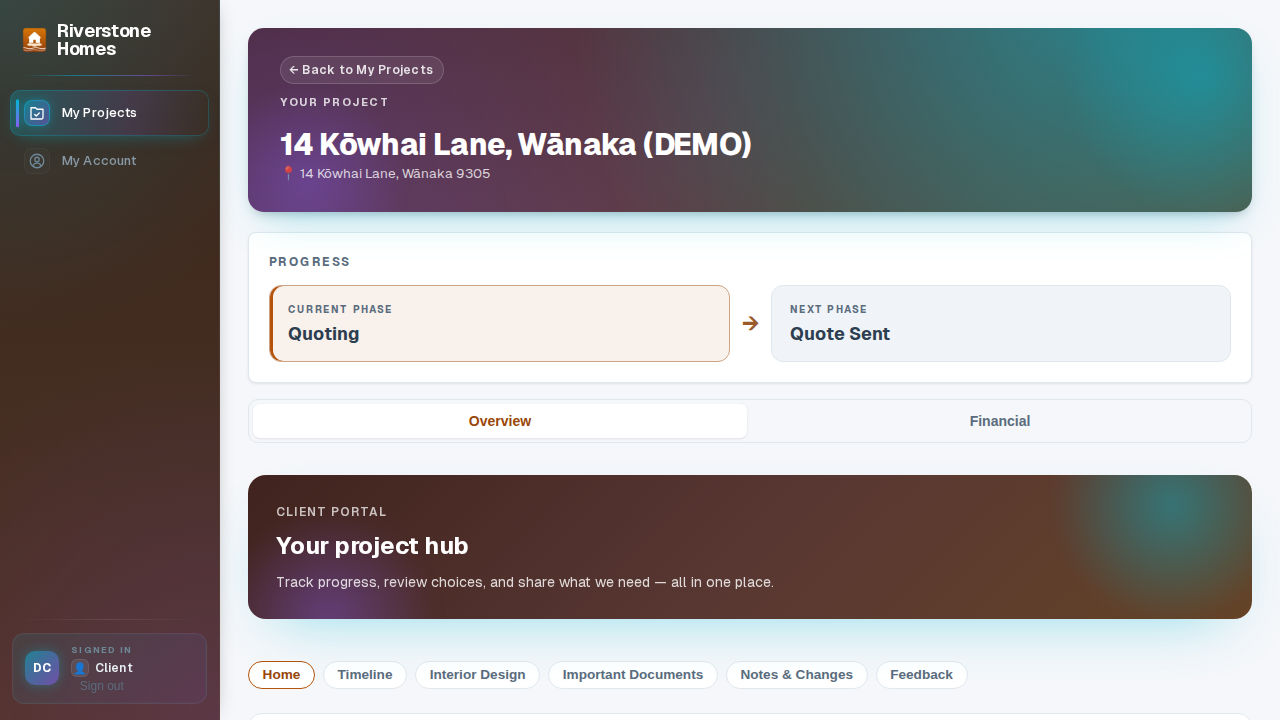
Post once. Every client stays in the loop.
Stage changes flow into the portal automatically as deals move on your board. Photos, notes and decisions are posted once and published to every assigned customer's portal: no group texts, no forwarded emails, no Friday-afternoon update calls.
- Decisions in-app. Send finishes and options; customers pick, and the choice lands back on the deal with a timestamp.
- Templates you control. Design the portal layout once and apply it to every job, or tailor it per project.
- Safe by default. Customers see only their own project, only what you publish. Preview any portal as the client before it goes out.
Edit the portal on the page itself, no developer required
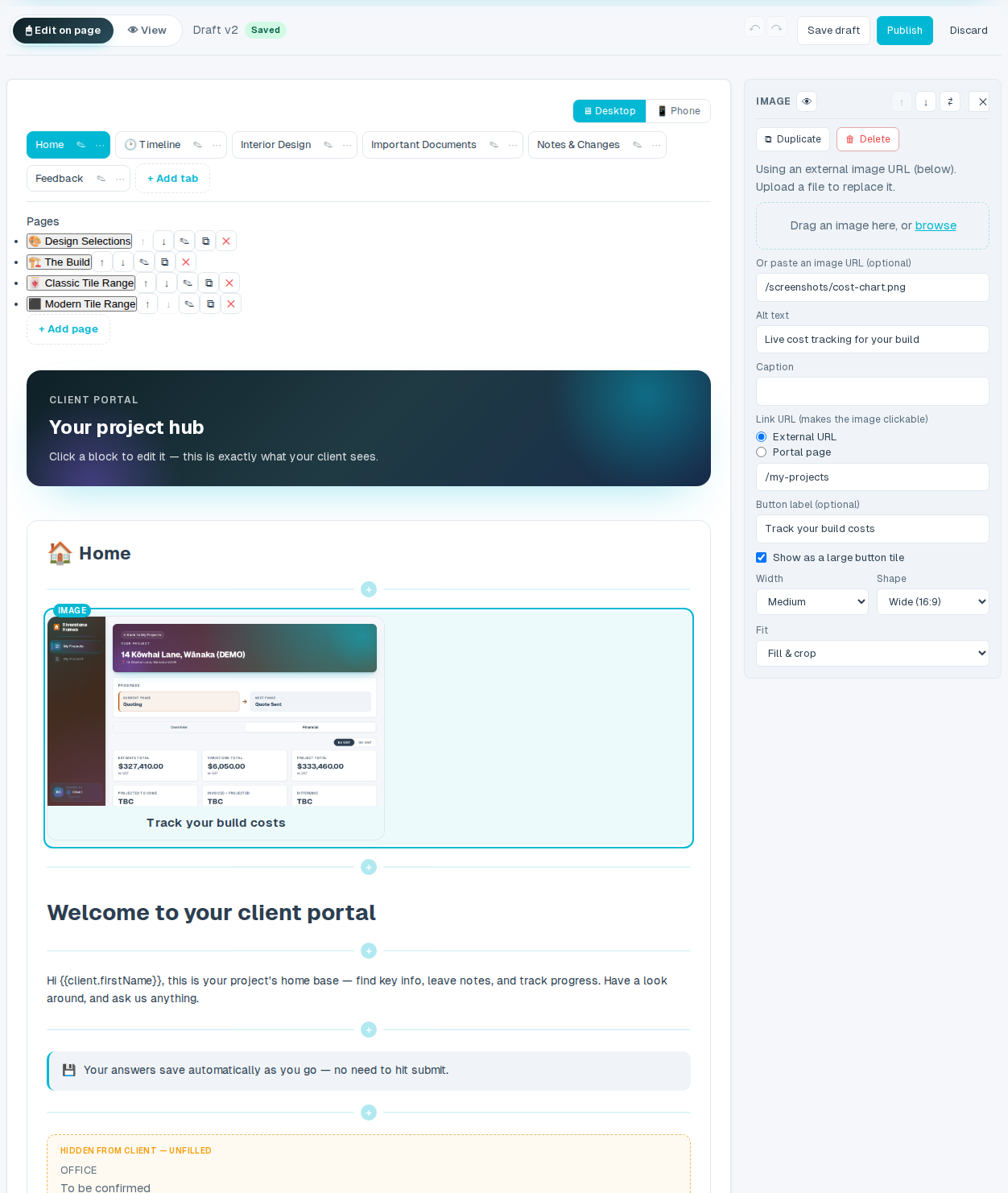
Work on the real thing: click any block on the exact page your client sees and edit it right there. Retype a heading in place, swap a photo, tweak a decision. Add, move and insert blocks where you want them, drag images straight in and crop them to shape, turn any picture into a clickable button, and tuck bulky reference content behind a tap-to-expand drop-down. Flip to a phone-width preview to check it on a client's screen, and publish when it's right. Every version is kept.
- Click a block, edit in place. Select any block on the live page and change it in the side panel, or type straight over a heading or section title. What you see is exactly what the client gets.
- Add, move & drag anything. Insert blocks between others, reorder them, and drop images straight onto the page: headings, galleries, decisions, checklists, contact cards, stage trackers, image buttons and drop-downs.
- Phone preview & versioned publishing. Check the layout at phone width before it goes out. Drafts stay private until you publish, and every published version is kept, so you can restore or compare any time.
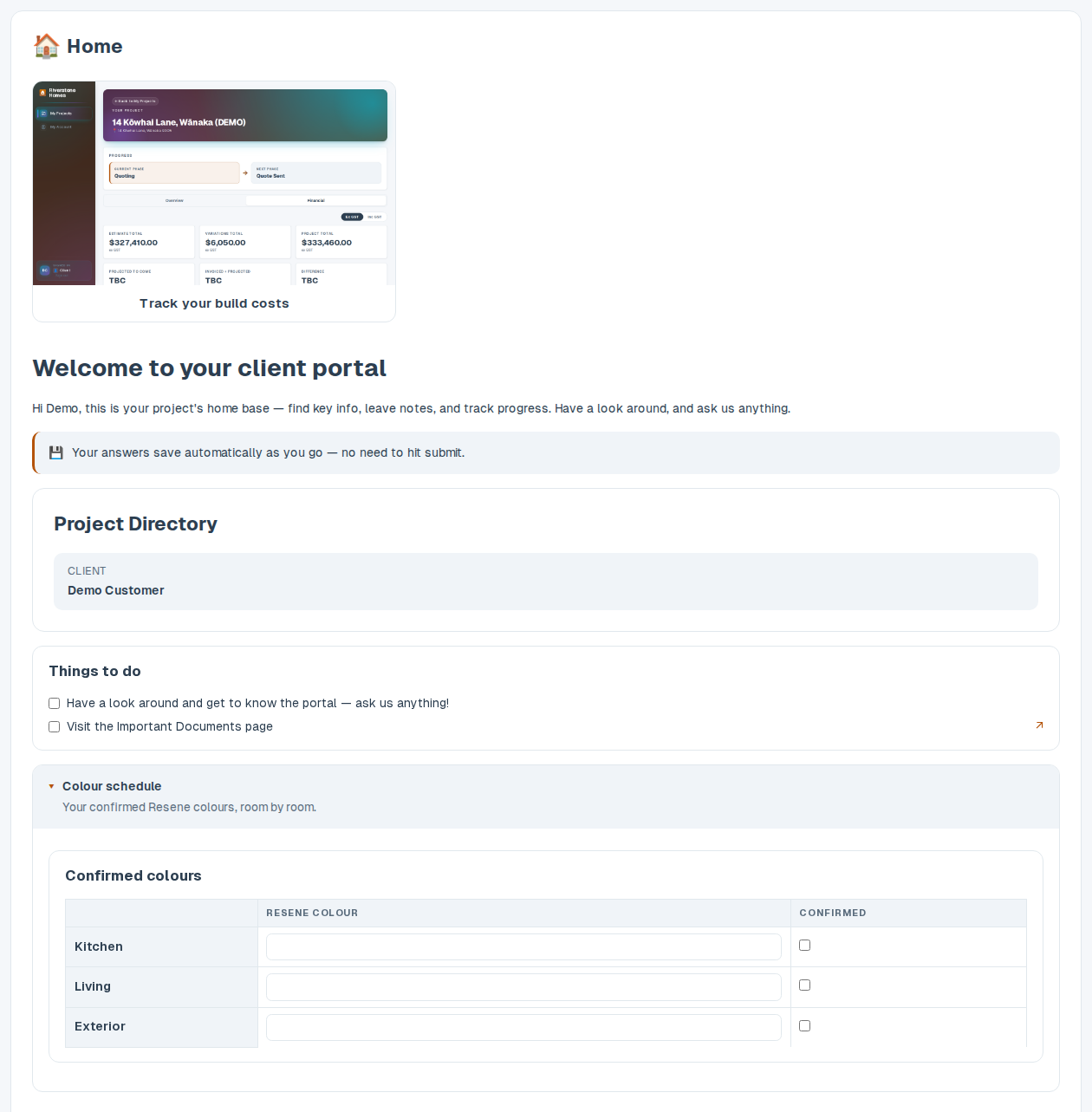
Start from a finished portal, not a blank page
The moment you sign up, your account comes with a complete starter portal: a welcome home page, a build timeline, interior-design decisions, a documents area, notes and a feedback page. It carries your business name, and no one else's details, so you can publish it as-is or reshape any part to match how you run a job.
- Built, not blank. Sections, prompts and decision options are already written for a build project: edit the words, don't start from scratch.
- Yours from the first login. The template is stamped with your business name and branding. It never contains another company's staff, suppliers or contacts.
- Change anything, anytime. Rename sections, swap prompts, add photos and contacts: the starter is a launch pad, not a lock-in.
- Your best job becomes the template. Perfected one project's portal? Save its setup back as your template in one click, and every future job starts from it.
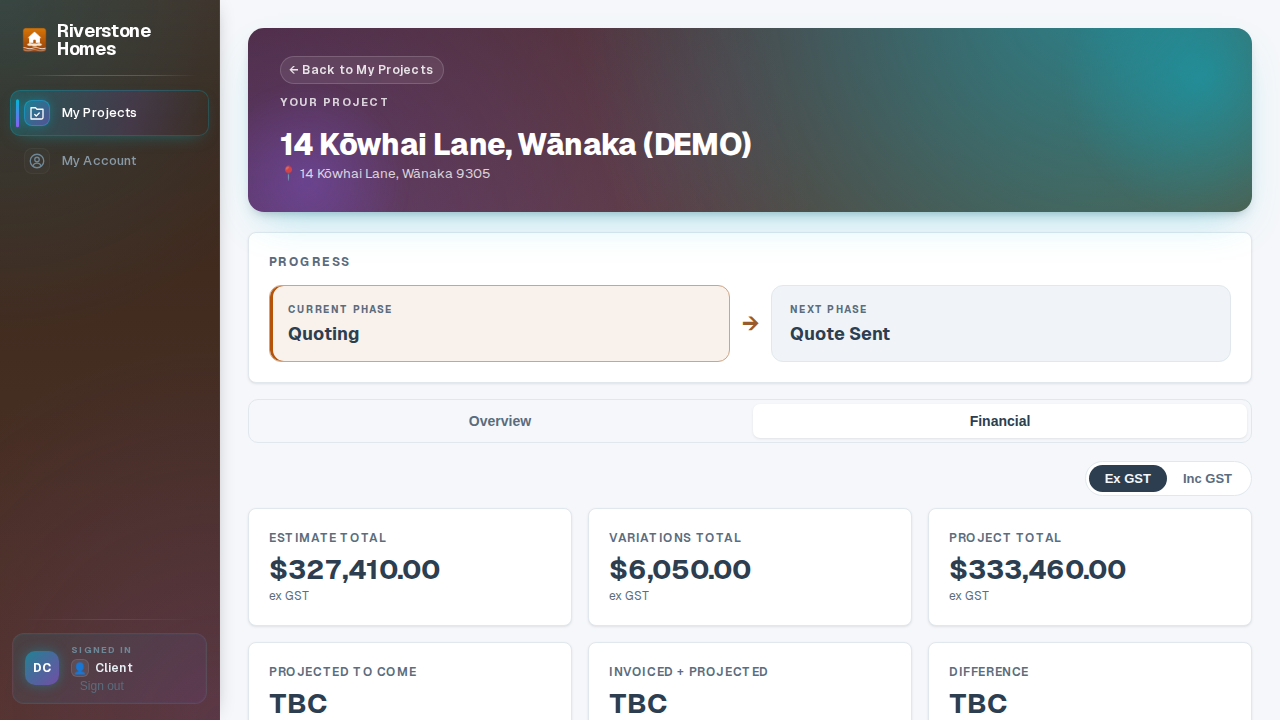
A clear chart of where the money's going
When your team publishes the job's cost breakdown, customers see exactly where their budget stands: invoiced against the agreed total, category by category. Overspend shows in red before it becomes an argument. Trust, built in.
- Published from your numbers. Built from your cost tracking: estimates against invoiced-to-date, refreshed when your team publishes a new version.
- Category by category. Foundations to fit-out, every line is broken out clearly.
- No surprises. Variations and overspend surface early, in plain sight.
The pre-start agreement gets signed before the portal opens
Upload the agreement as a PDF: a pre-start agreement for one job, or your standard terms for every client. The next time your client opens their portal, they're asked to read and sign it before anything else. The moment they do, the signed copy is filed against the job.
- No chasing paperwork. Clients get an email when there's something to sign, and the portal waits until it's done. You never start a job on a handshake.
- On file and on the record. Typed-name signing, recognised under Part 4 of NZ's Contract and Commercial Law Act 2017. Summit Hub records the signer, the timestamp, their IP address and the exact document hash, kept with the signed PDF.
- New version, new signature. Replace the document and clients sign the fresh copy; every earlier signature stays on record against the version it signed.
The portal is on every plan
Give clients the transparency they wish every builder offered.
The portal is included on every plan. Pick yours and publish your first project today.
See pricing