
The job list your whole crew can actually see.
Right now the small stuff (confirm site access, order the roofing iron, chase a supplier invoice) lives in your head, a notebook, or a group chat. Summit Hub puts it on one shared board instead: who owns it, when it's due, what it's stuck on. Assign something and the bell tells them; they finish it and the bell tells you.
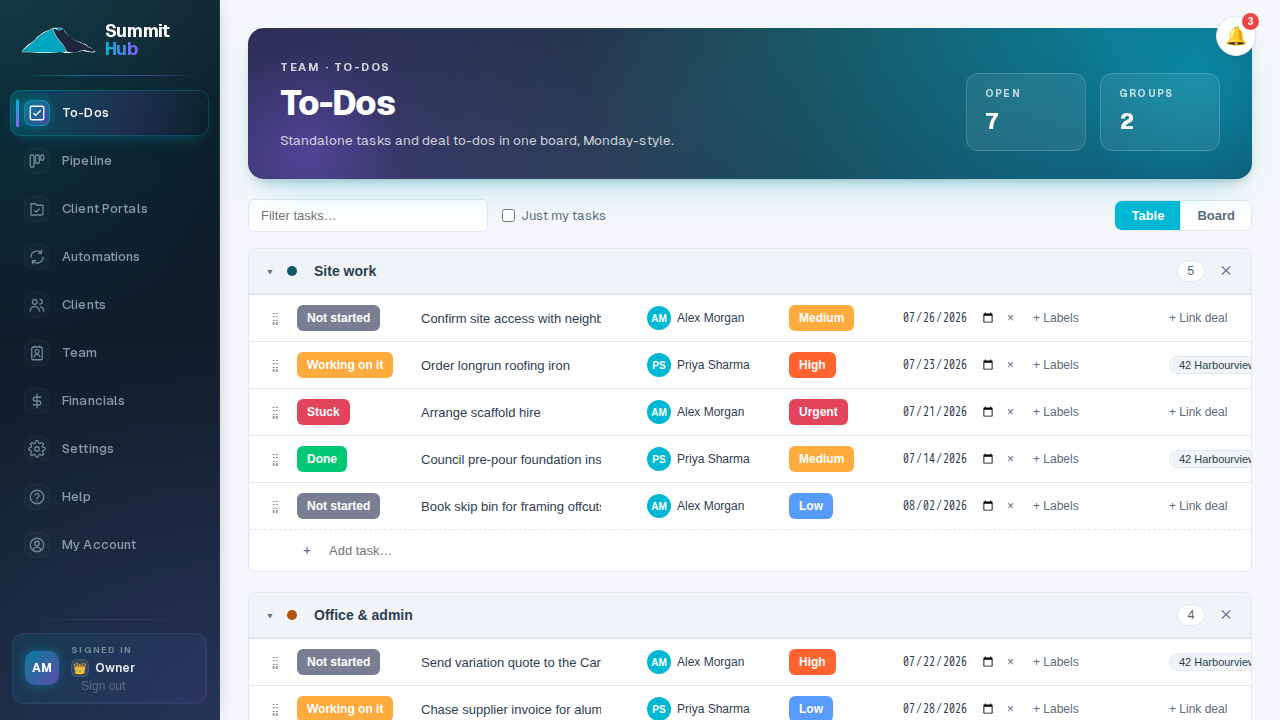
Group it, assign it, drag it where it belongs.
Every task gets a status, a priority, an assignee and a due date, and it can carry labels or sit in a group your team names (Site work, Office & admin, whatever fits how you run a job). Type a title and hit Enter to add it; drag it up or down the list, or into another group, and it saves instantly. Switch to Board view to see the same tasks as columns by status and drag a card across when the work moves.
- Not started, Working on it, Stuck, Done. Four statuses, click to change, the same four whether you're looking at the table or the board.
- A deal link when it's useful, not required. Most to-dos are just team work. Tie one to a specific job when it matters, and it's a click from the deal back to the task.
- Table or board, same underlying list. Switching views doesn't move or duplicate anything: it's the same tasks, seen two ways.
- On-site crew get a list of their own. Field crew see their own to-dos on their phone and can raise a site issue that goes straight to the office. A Site Lead can hand out a job's tasks to the rest of the crew. Field accounts come with Crew and up.
Nobody finds out they were assigned something by asking around.
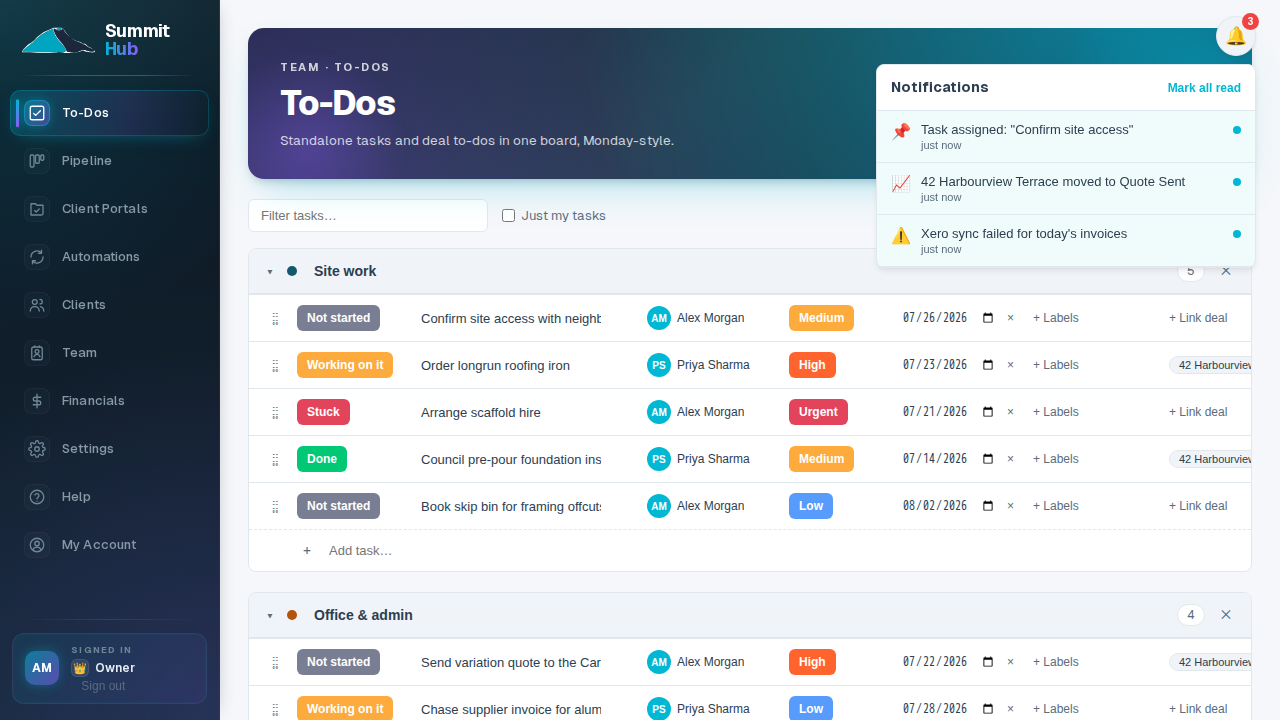
The bell in the corner of the app tells your team when a task lands on them, when someone finishes one, when there's a new comment, when a deal changes stage, or when a sync fails and needs a look. Click a notification and it takes you straight to what it's about. It checks in roughly once a minute, so it's never more than a short wait behind what actually happened.
- Assignments and completions. Get a task assigned to you, or finish one someone else is watching, both show up in the feed.
- Comments and deal moves. A comment on a task you're on, or a deal moving stage, lands in the same feed as the tasks do.
- Mark all read, in one click. Clear the badge when you've caught up. It doesn't come back until something new happens.
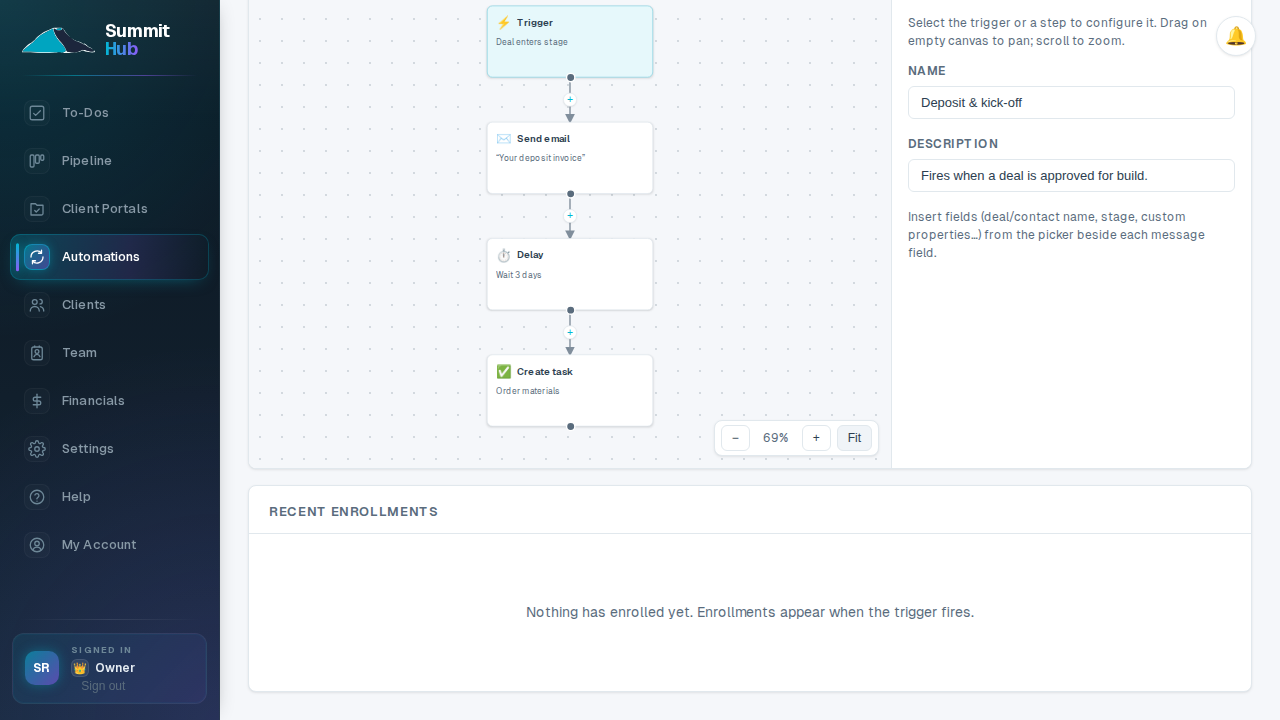
Automations can put tasks on the board for you.
An automation workflow's 'create task' step writes into this exact same board: the same groups, the same assignee field, the same bell notification when it lands. Set a workflow to create a follow-up task the moment a deal hits a stage, and it shows up for whoever you assigned it to without you touching the board at all.
- One task system, two ways to add to it. By hand on the board, or automatically from a workflow step, either way it's the same list everyone's already looking at.
- Assigned and notified together. A task a workflow creates rings the same bell a hand-assigned one does. Whoever it lands on hears about it the same way.
Stop keeping the job list in your head.
To-Dos are included on every Summit Hub plan. Pick yours and start the board today.
See pricing