
Lay out the job as a timeline, not a spreadsheet.
Add tasks, drag them into place on the chart, wire up what depends on what, and Summit Hub keeps the whole schedule honest as dates move, without you re-checking every downstream task by hand.
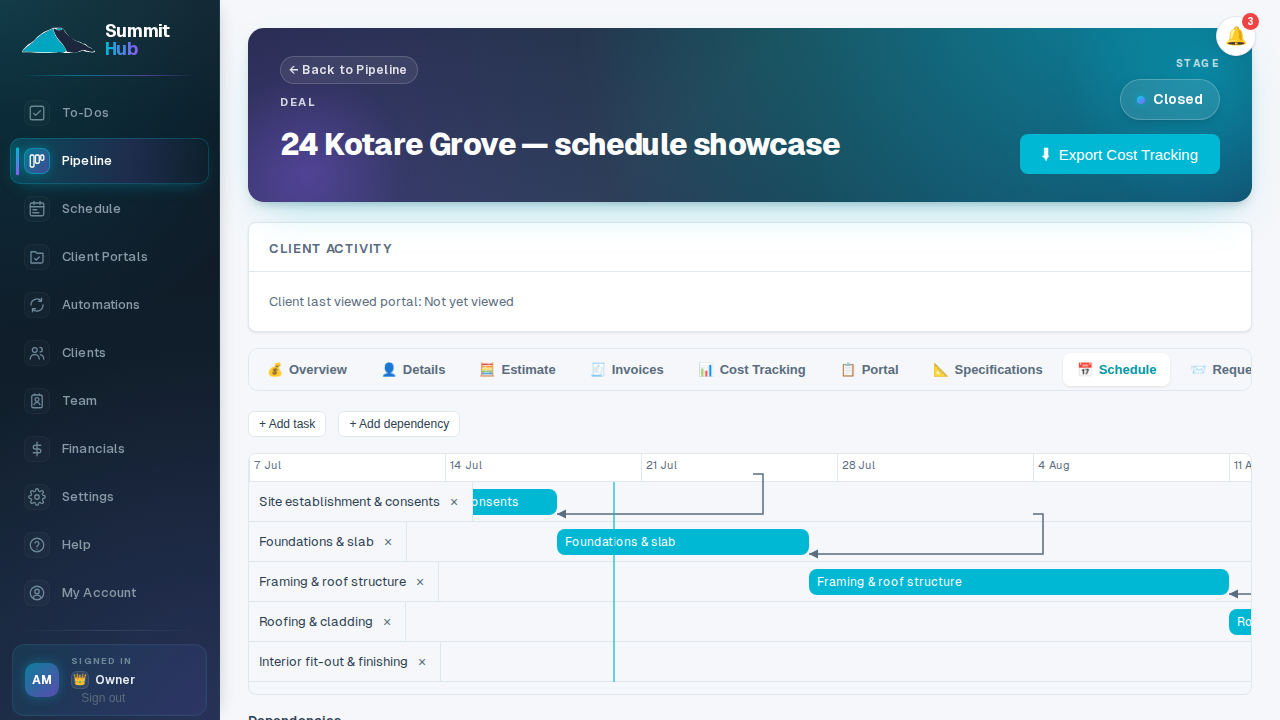
Move one task, and everything downstream shifts with it
Wire up finish-to-start dependencies (with lag days for cure times, inspections, or delivery lead times) and moving the predecessor automatically pushes every dependent task just far enough to keep the gap valid. A task that already had the slack to absorb the move is left exactly where it was; nothing shifts unless it actually has to.
- Drag or resize on the chart. Every task is a bar you can move or lengthen directly on the timeline. No separate dialog to open.
- Seed a starting schedule from your estimate. One click lays out a task per category, in the order they first appear in the estimate, back-to-back from today.
- No accidental loops. A dependency that would create a cycle, directly or through a chain of other tasks, is rejected before it's added.
See every scheduled job across the company
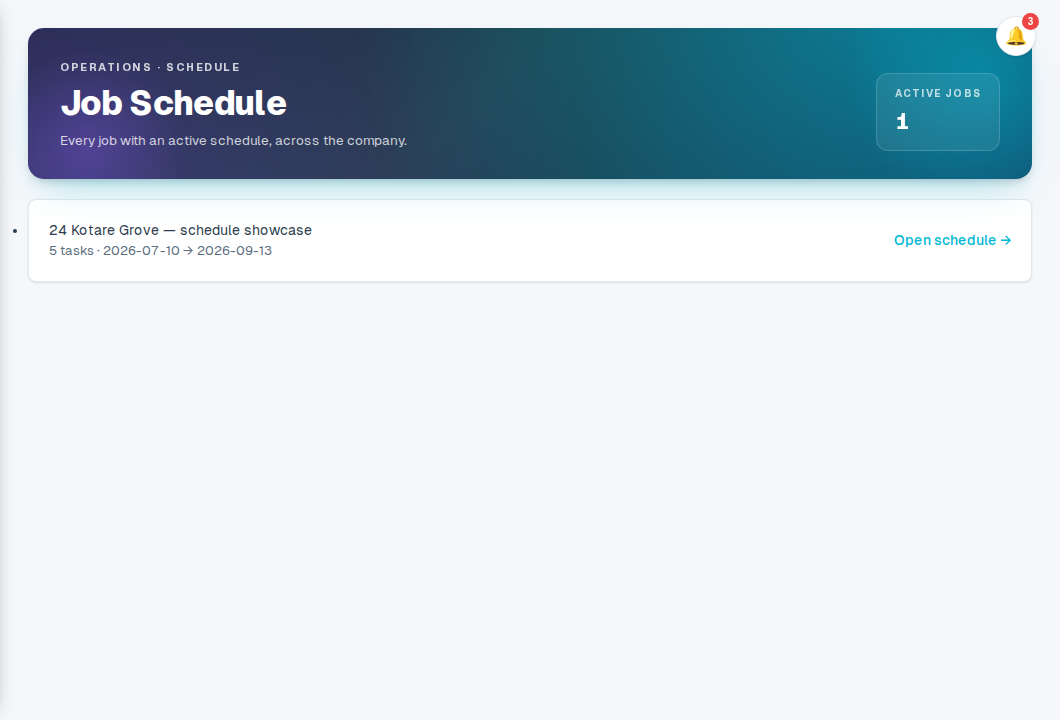
The Schedule page lists every job that has a schedule (how many tasks, and its earliest start through latest finish) with one click through to that job's own timeline. No more asking around for what's happening on site this week.
- Company-wide, at a glance. Every job with an active schedule, sorted by soonest-starting, in one list.
- Field crew see it too. Field accounts get a read-only view of their assigned jobs: dates, dependencies and today's line, with no pipeline or financial access.
- In the calendar they already use. Copy a job's calendar link and subscribe to it from Google Calendar, Outlook or Apple Calendar: tasks show up as all-day events that follow their dates, read-only, and an owner can revoke every link issued in one go.
Plan the job, not just the price.
Job scheduling comes with native estimating. No separate setup.
See pricing