Summit Hub
The construction operating system

Pipeline, Estimating, Financials and Customers — One App.

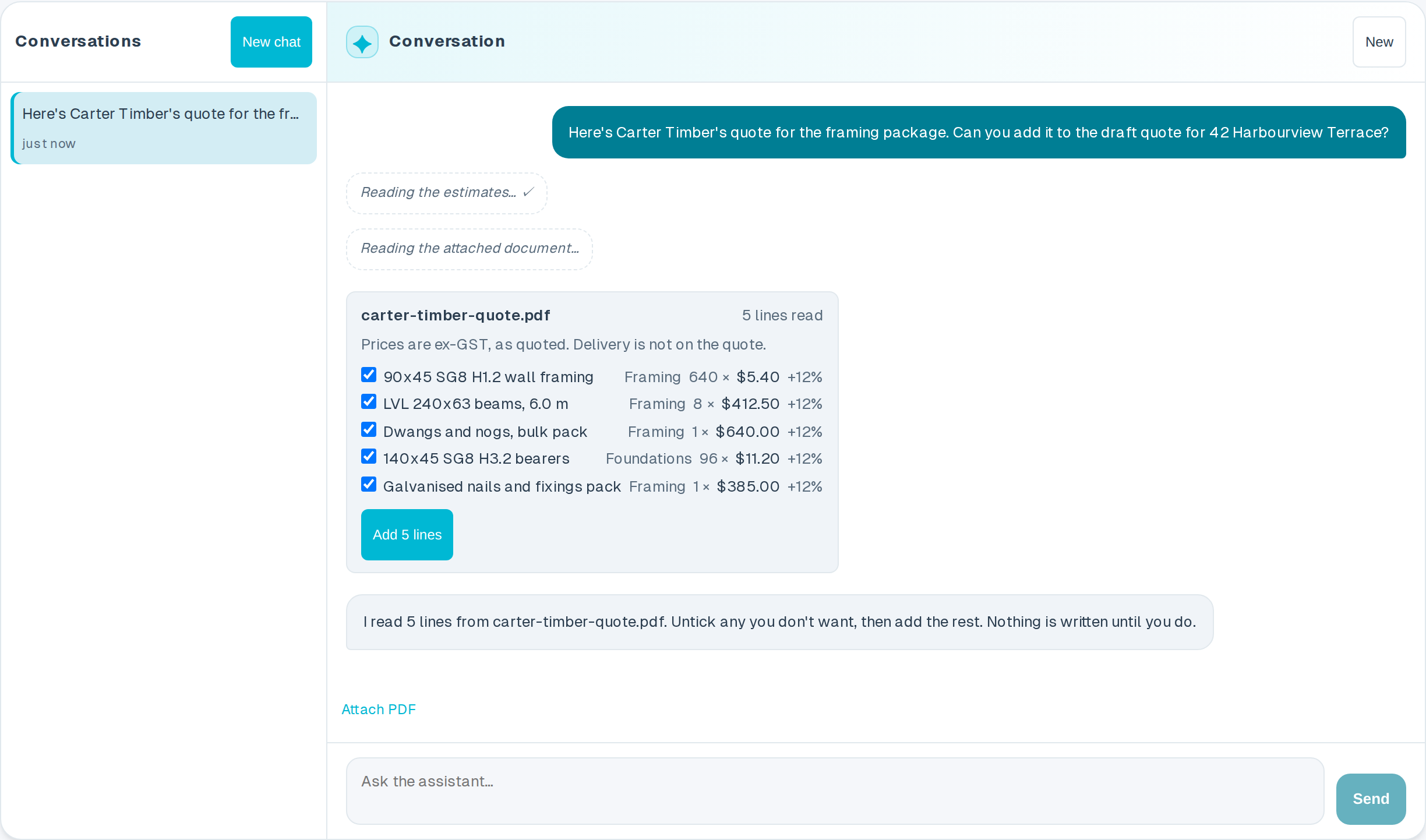
Summit Hub isn't a layer that just syncs your other tools. Deals, estimates, invoicing, cost tracking, automations and the client portal all run natively here — connect HubSpot, Buildxact and Xero if you use them, but you don't need them to get the value.

Native pipeline, estimating and portal on every plan — integrations are optional, not required.

SECTION · BOTH SIDES

One app. Both sides happy.

Summit Hub saves your team time and gives your customers the transparency they wish every builder offered.

AFor your team

Save hours every week

  • One board for every job — no chasing statuses across spreadsheets
  • Estimates and invoices entered once, synced everywhere
  • The lifecycle runs the busywork so your crew stays on the tools
BFor your customers

Total transparency, zero phone tag

  • A branded portal that stays current as your team posts updates
  • Customers choose options and give feedback in-app
  • A cost chart so there are never any surprises
The customer portal

Give every customer a window into their build

No more “what's happening with my job?” calls. Customers open a clean, branded portal to see exactly where their project is — kept current whenever your team posts an update.

  • Always up to date. Stage changes, photos and notes appear in the portal whenever your team posts them.
  • They choose what they want done. Send decisions and let customers pick finishes and options in-app.
  • Two-way feedback. Ratings and questions flow straight back to your team.
Cost transparency

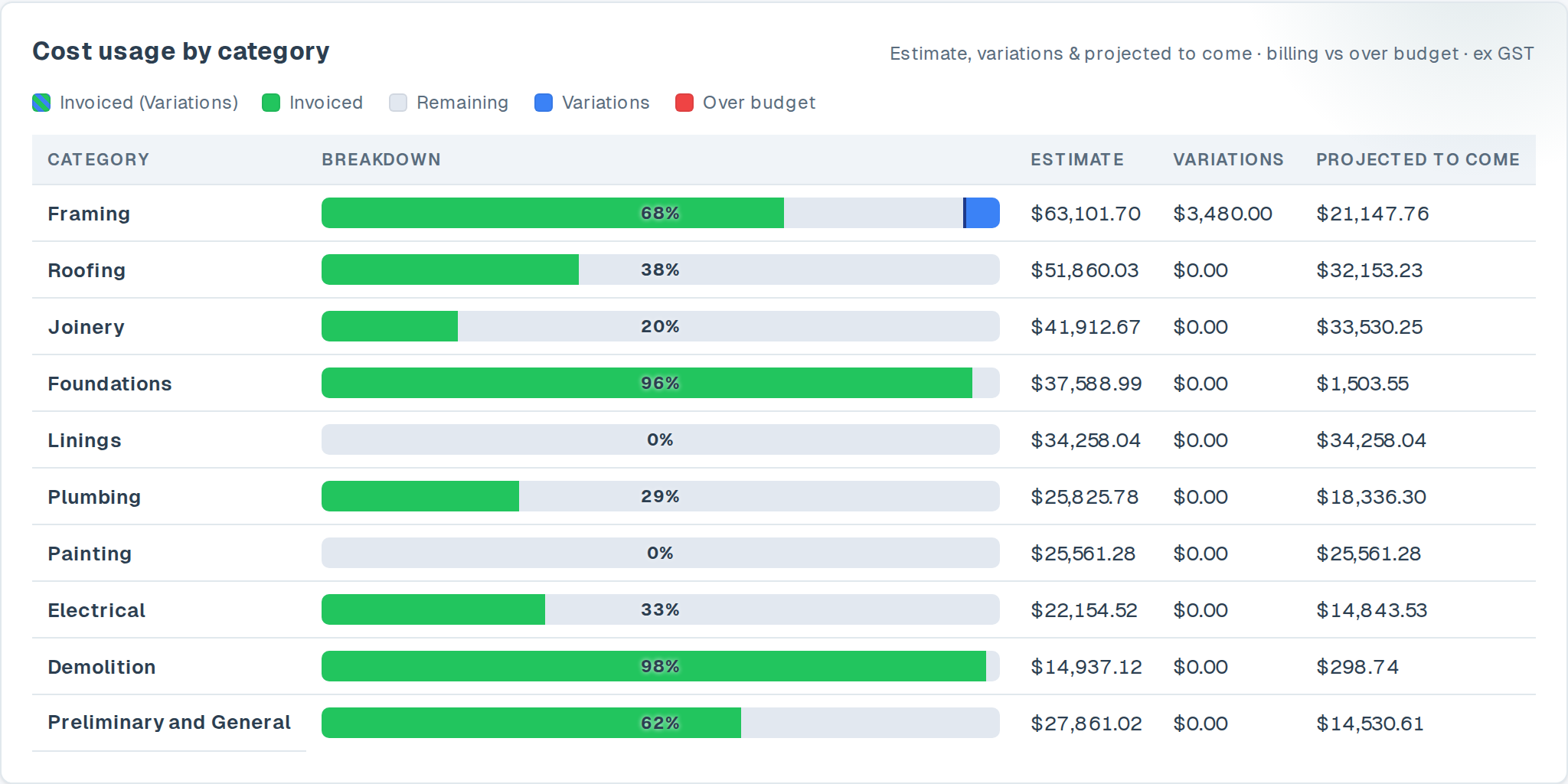
A clear chart of where the money's going

When your team publishes the job's cost breakdown, customers see exactly where their budget stands — invoiced against the agreed total, category by category. Overspend shows in red before it becomes an argument. Trust, built in.

  • Published from your numbers. Built from your cost tracking — estimates against invoiced-to-date — and refreshed when your team publishes a new version.
  • Category by category. Foundations to fit-out, every line is broken out clearly.
  • No surprises. Variations and overspend surface early, in plain sight.
Get the quote signed

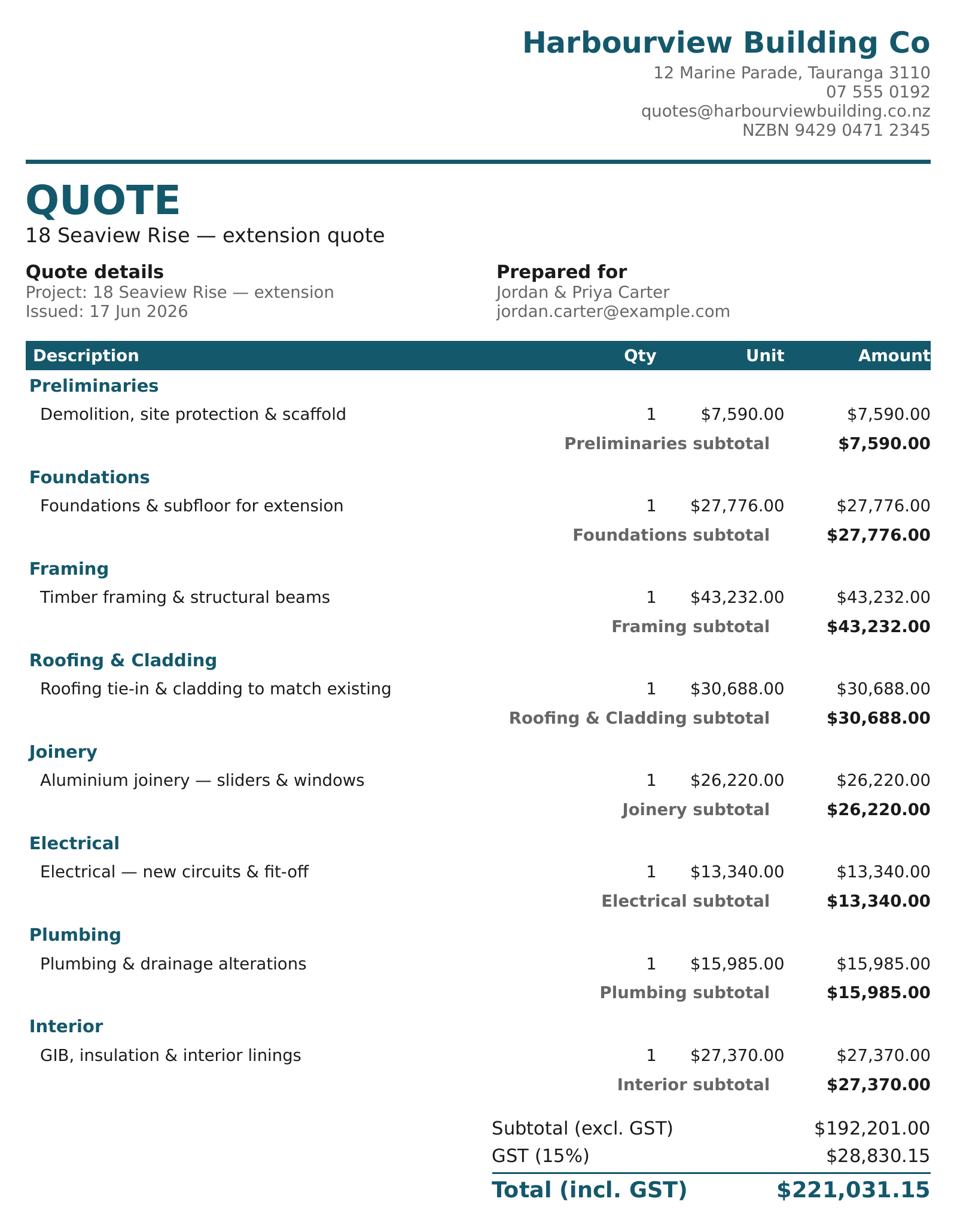
Clients e-sign your quote — and it accepts itself

Send the client a secure link to sign your quote online. The moment they sign, the quote flips to Accepted, a signed PDF is filed against the job, and the signing is recorded — no printing, scanning or chasing a reply.

  • Sign from any device. The client opens one clean page, signs, and they're done — no account, nothing to install.
  • Accepts on its own. A signed quote moves straight to Accepted on your board, with the signed PDF filed against the job — you don't lift a finger.
  • On file and on the record. Electronic signatures are recognised under Part 4 of NZ's Contract and Commercial Law Act 2017. Summit Hub records the signer, the timestamp, their IP address and the exact document hash, kept with the signed PDF.
SECTION · WORKFLOW

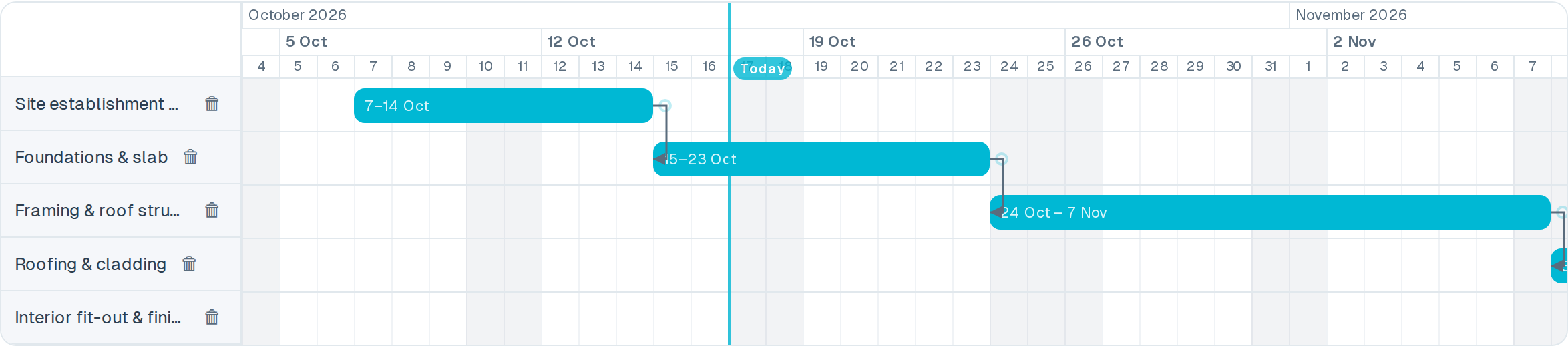
Every job, start to finish, on one track

Lead to handover — each stage moves the job forward, and where your tools are connected, the right update fires automatically.

  1. 01Lead

    Enquiry lands

    HubSpot
  2. 02Quoting

    Estimate built

    Native or Buildxact
  3. 03Approved

    Quote accepted

    Xero + HubSpot
  4. 04In progress

    Job underway

    Client portal
  5. 05Complete

    Job closed out

    HubSpot
SECTION · CONNECTED SYSTEMS

Connects to the tools you already run, if you run them

Already on HubSpot, Buildxact or Xero? Summit Hub keeps them in sync in the background — but the pipeline, estimating and financials work natively even if you're not.

  • CRMHubSpotDeals and contacts flow in from your CRM. Lead statuses update automatically as projects progress.
  • ESTBuildxactEstimates and job data stay in sync. Variations and cost breakdowns appear alongside your pipeline.
  • FINXeroDraft invoices and contacts are created automatically. Payment statuses sync back to your deal view.

One app for your team and your customers.

Sign in to run your pipeline, your costs, and your customer updates from a single place.

Get Started